
Go together.
Do your own thing.
A group travel app where everyone shares one trip and each traveler sees their own day inside it. An assistant lives in the app, and the same trip opens in ChatGPT and Claude through MCP.
tripami.ioGroup trips come apart in the gaps: who is where, what’s next, who paid. A shared plan has to stay true for everyone while people split up for an afternoon.
An independent product. I designed and built the app, its design system, the Ask Tripami assistant, and the MCP integration that carries the same trip into ChatGPT and Claude.
Let assistants propose, and let people decide. In the app, every change Ask Tripami suggests waits for the traveler’s OK; through MCP, sensitive changes go to a review step the agent can’t approve.
The screens here are captured from the app, from ChatGPT, and from Tripami’s MCP Apps view. Adoption, retention and booking results are not claimed.
One trip.
Your own day.
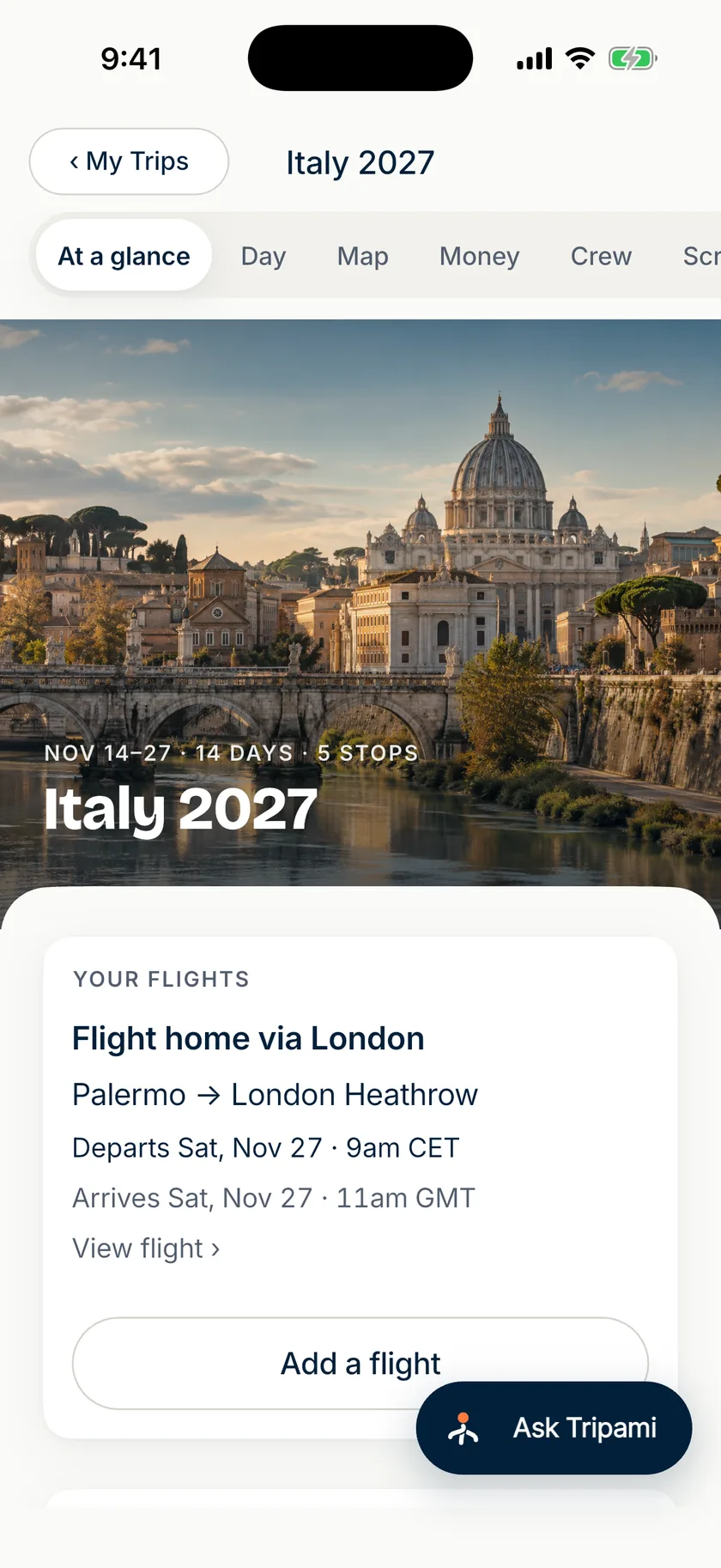
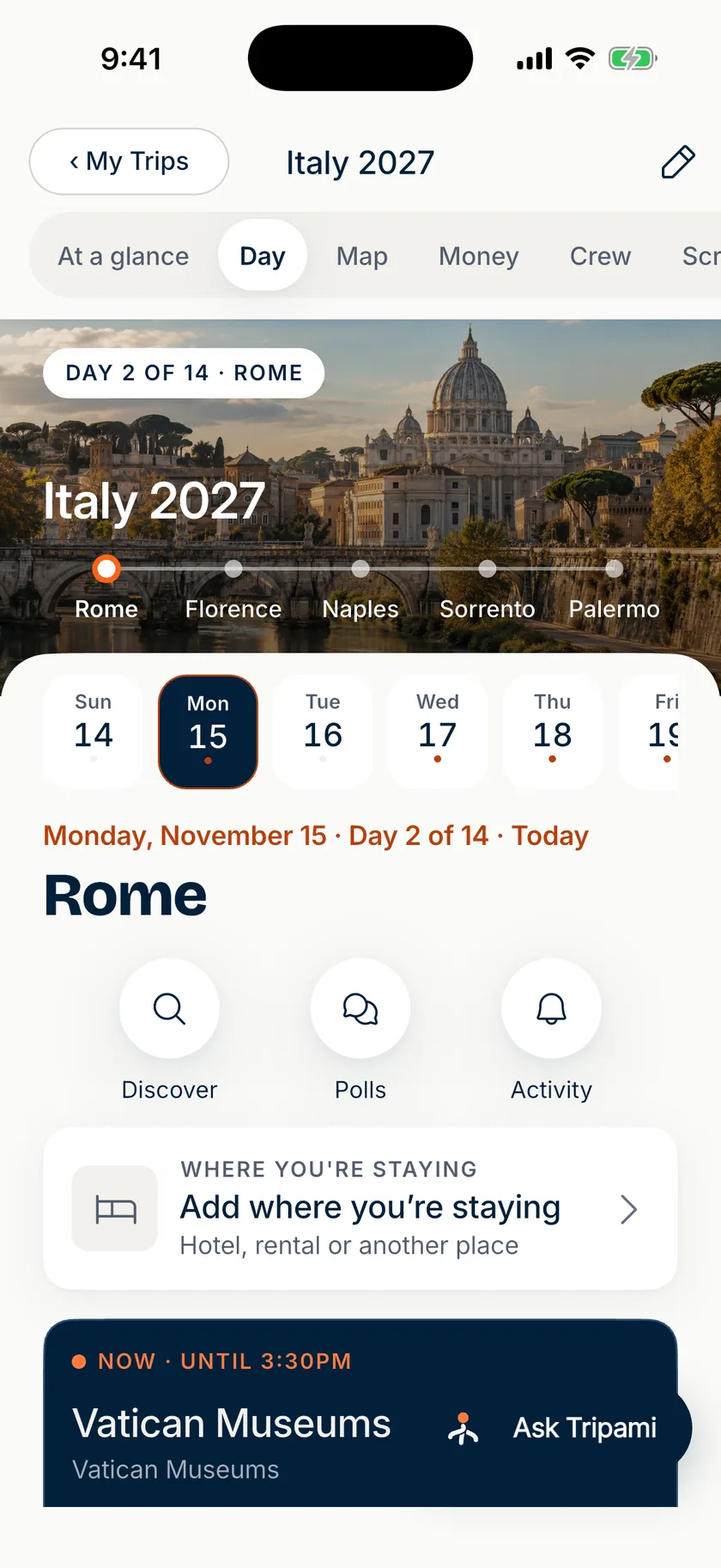
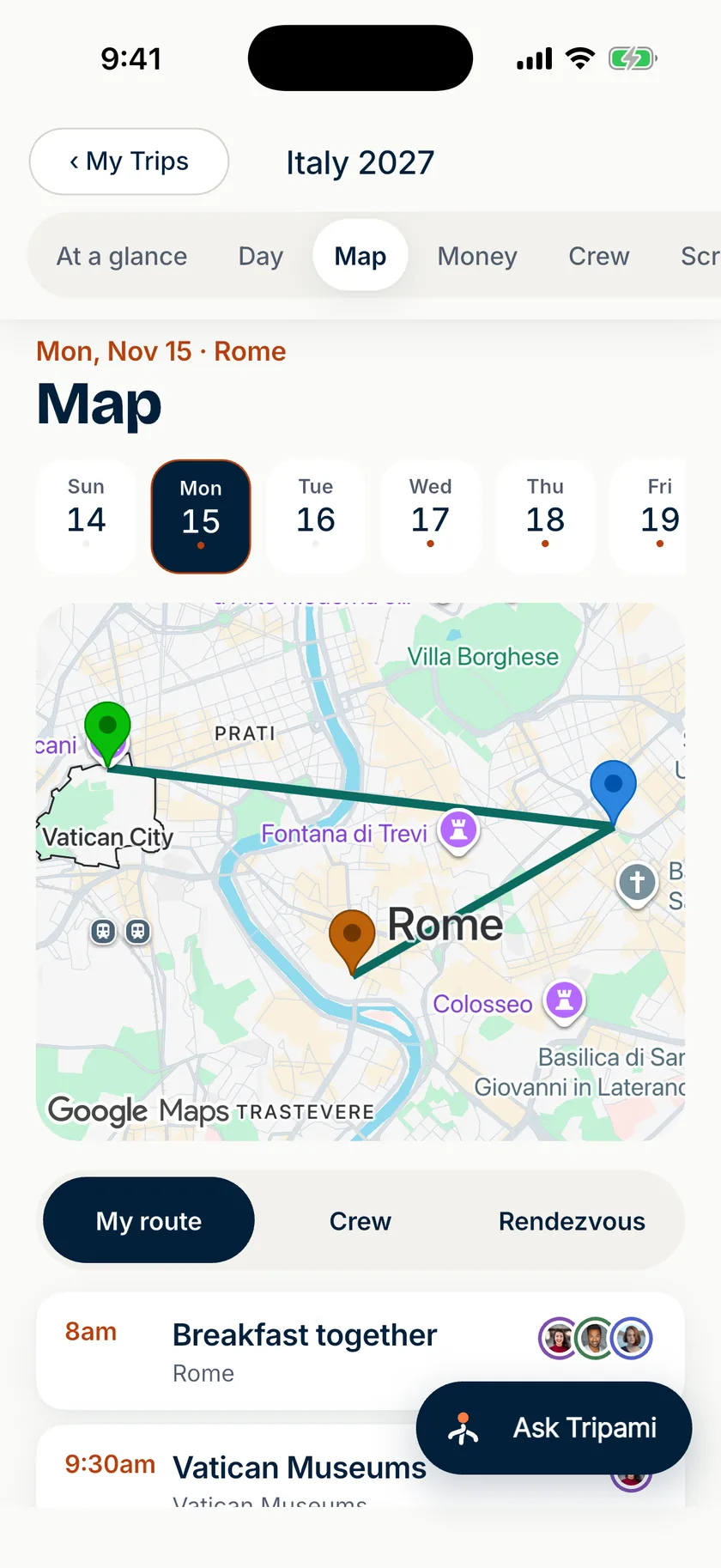
A trip opens on six tabs: At a glance, Day, Map, Money, Crew and Scrapbook. Day answers the question a group asks most—what’s happening now, and what’s next—for the person holding the phone.
Crew shows what everyone else is doing, so splitting up for an afternoon doesn’t mean losing each other. Money tracks who owes what; payments happen in a traveler’s own payment app, never through Tripami.
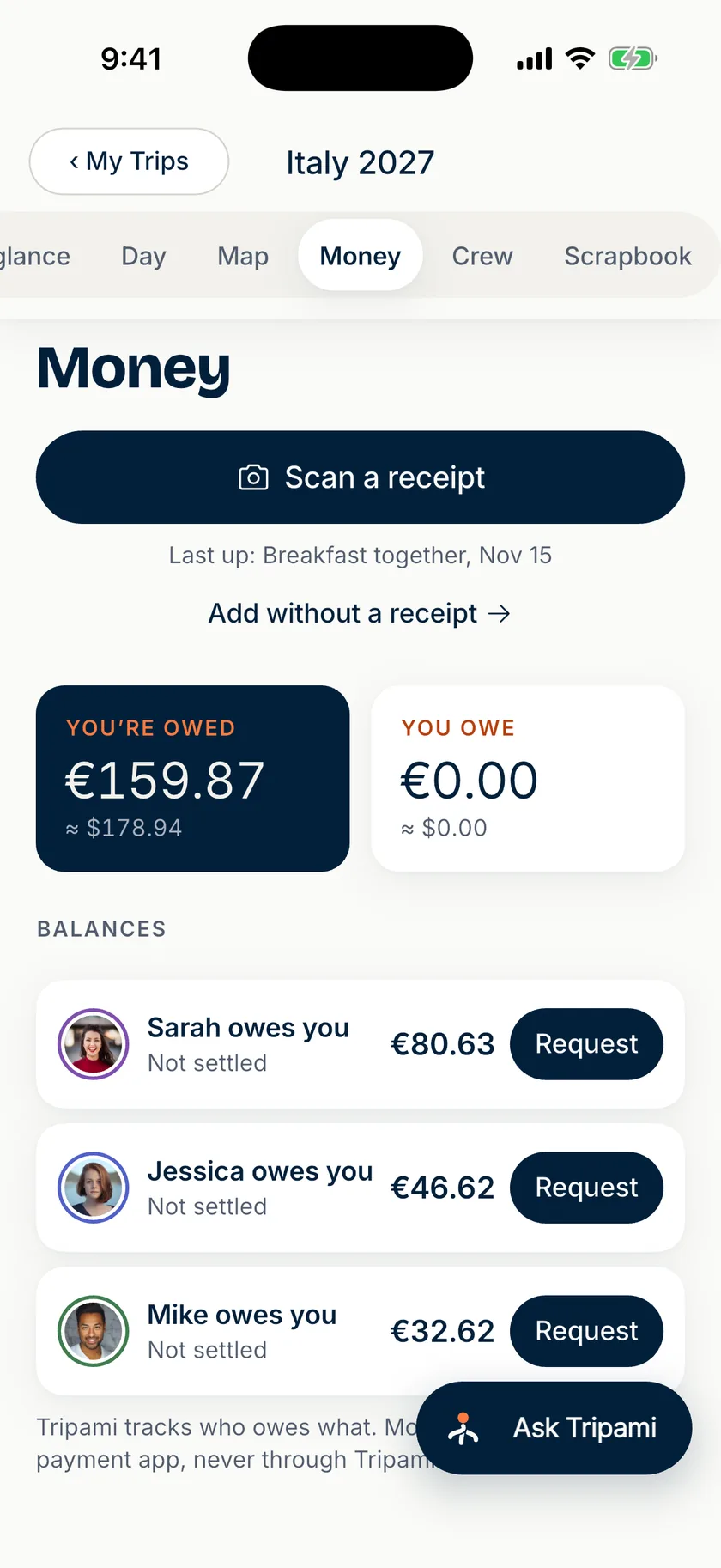
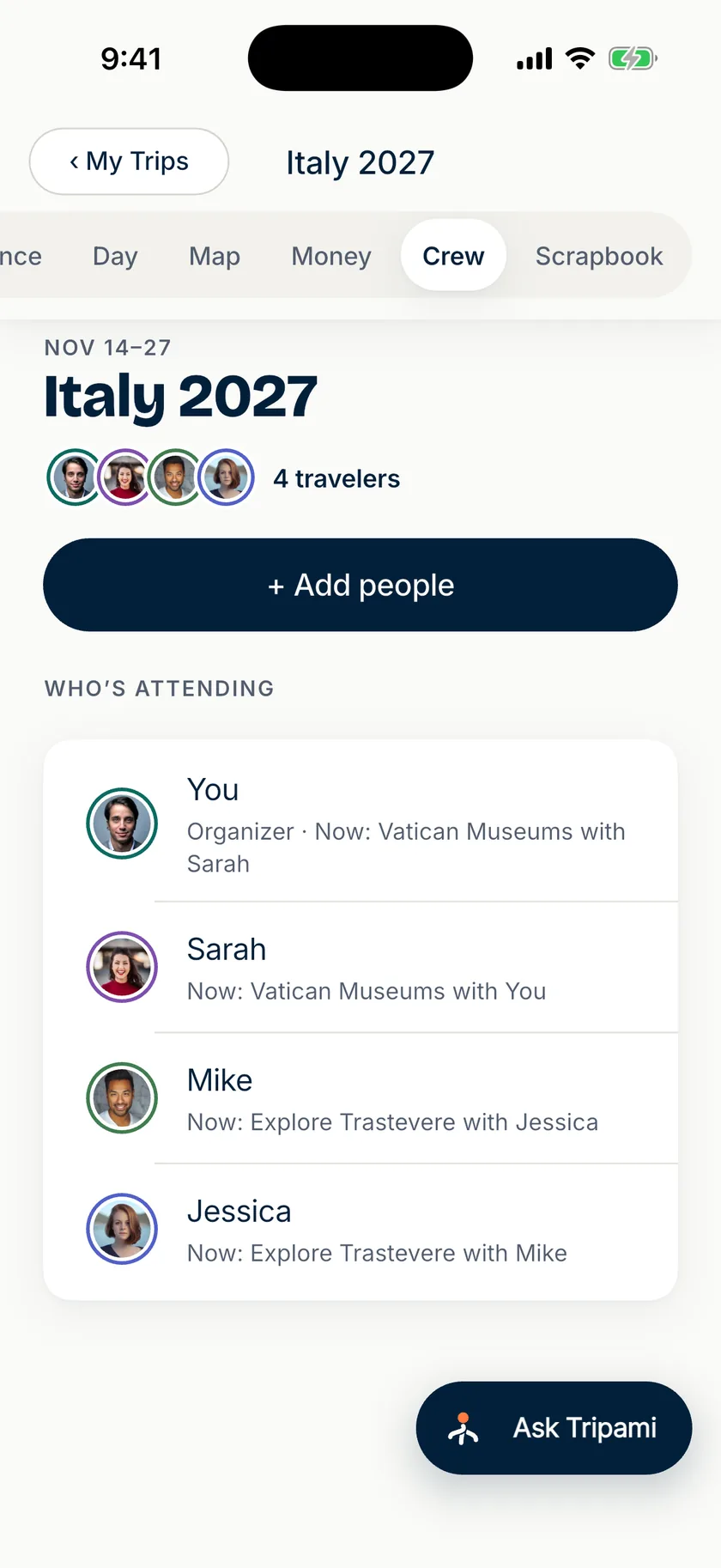
Captured from the app with its sample trip, “Italy 2027.” The Ask Tripami button stays within reach on every tab.
Say it. Check it.
Then it’s saved.
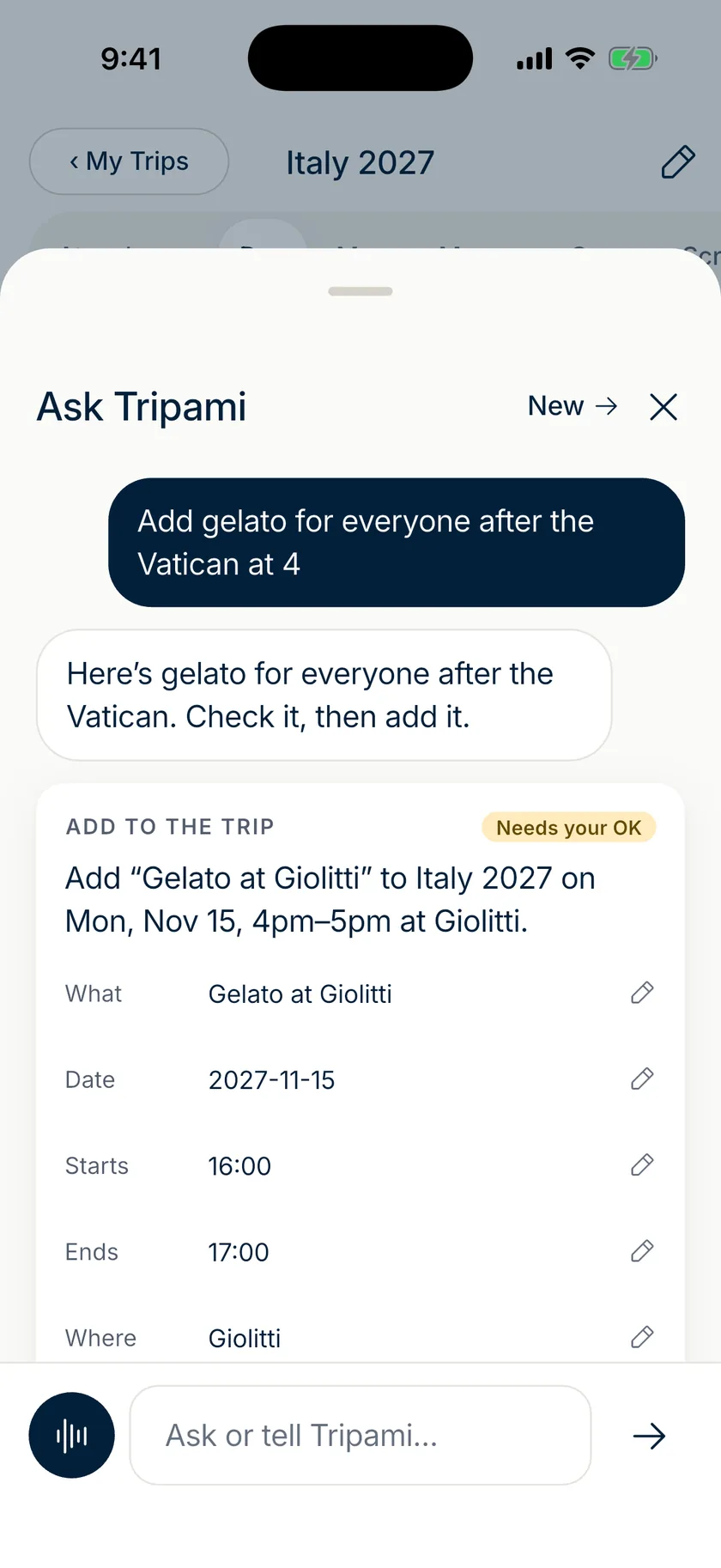
Ask Tripami is the assistant inside the app. A floating button sits on the main screens; tap it and say or type what you want—“Add gelato for everyone after the Vatican at 4.”
The assistant reads the trip as that traveler, then answers, asks one question, or proposes a change. A change to a shared trip affects everyone on it, so the proposal arrives as a card to check and edit. Nothing is written until the traveler confirms.
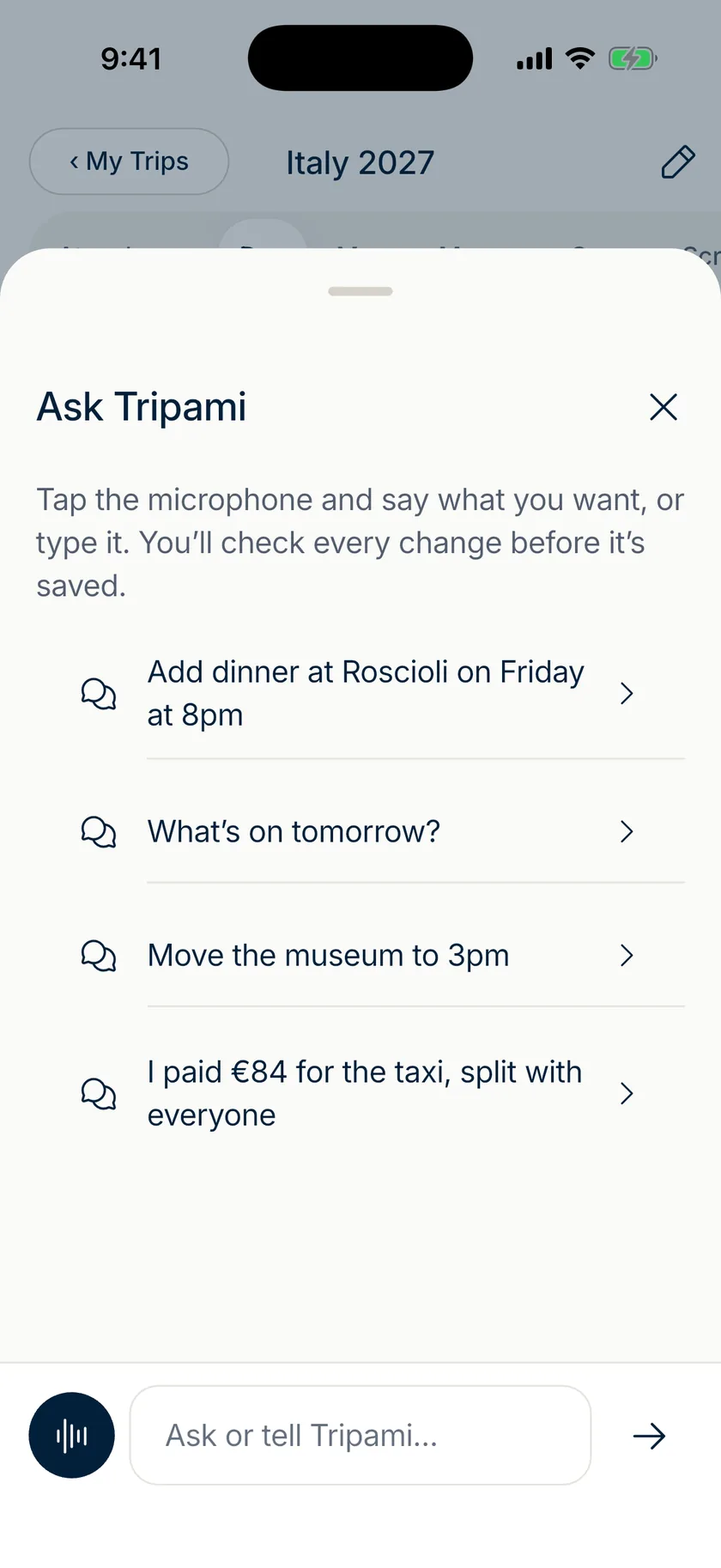 01 / ASK
Say it or type it.
The sheet opens on a microphone, a text field and a few examples of what to ask.
- 02 / REVIEW
It proposes. It doesn’t save.
The reply comes with a card marked “Needs your OK,” spelling out exactly what would change.
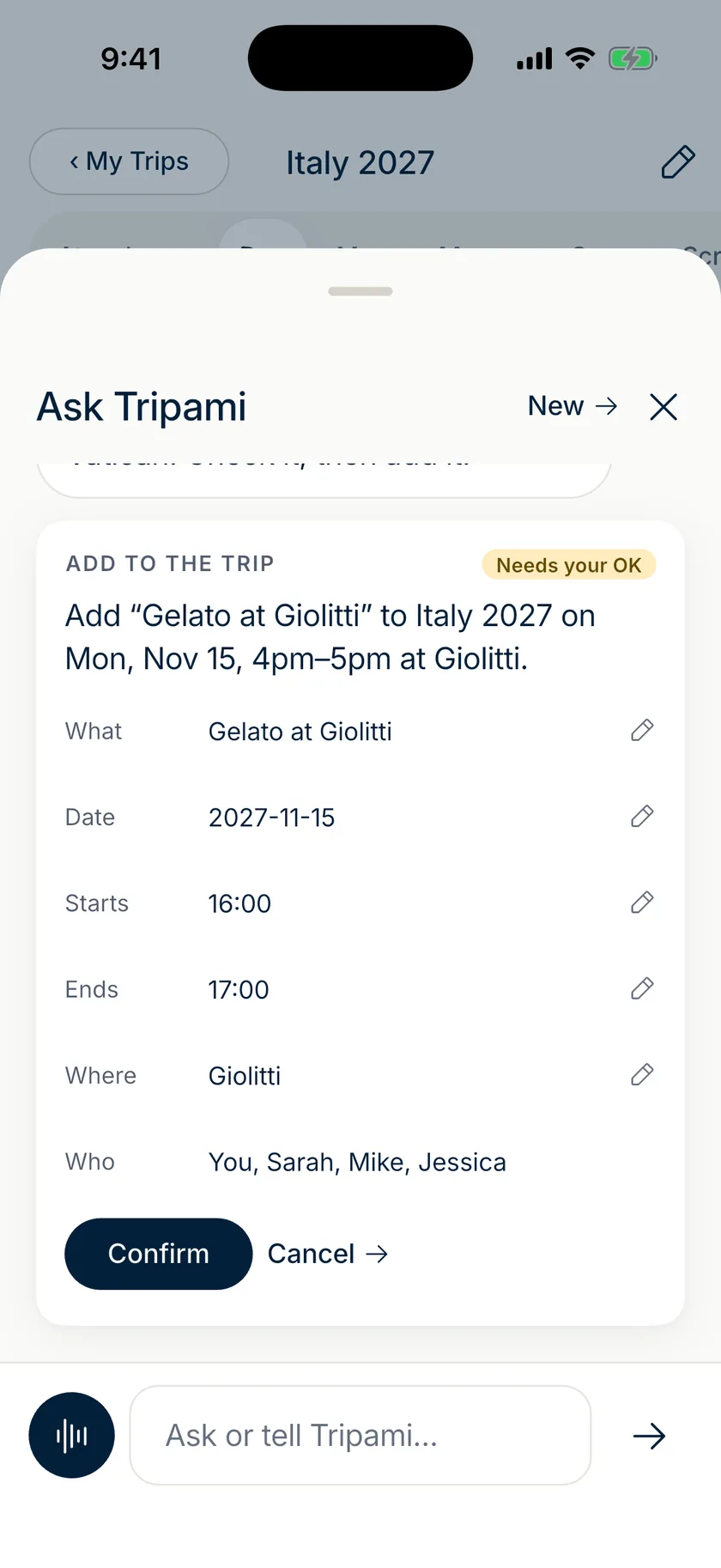 03 / CONFIRM
Edit any field, then confirm.
What, date, start, end, where and who are each editable before anything is written.
The same trip,
inside the conversation.
People also plan where they already talk things through. Connected to ChatGPT or Claude, an assistant can read the itinerary and expenses, find free time, discover experiences, and run a group vote—then bring a plan from the conversation into the shared trip.
Where the host supports MCP Apps, results appear as Tripami’s own interface instead of plain text: trip cards, days, money, and bookable experience cards with the provider’s photos, ratings and starting price. Text-only hosts get the same results as text.




The Tripami view for MCP Apps hosts, before and after a polish pass on the experience cards.

One plugin. Six skills.
The plugin pairs the connection with skills that tell an assistant how to behave: what to ask before saving a plan, when to stop, and what never to guess.
Tripami for Claude sourceconnect-tripamiSign in with OAuth and check which account and permissions are connected.trip-briefingWhat’s next, free time, arrivals and incomplete bookings, from saved evidence only.manage-tripCreate or change trips, plans, travelers and expenses, when explicitly asked.group-choicesPolls, votes and an explicit shared random pick.experience-planningSearch and compare bookable tours and activities.personal-preferencesA traveler’s own food needs and interests, saved only on request.
One server.
Every assistant.
Both integrations run on the Model Context Protocol. ChatGPT and Claude each register with Tripami’s MCP server and sign in with OAuth as the traveler, with that traveler’s permissions. There isn’t a ChatGPT backend and a Claude backend: one set of tools and one interactive view serve both.
Claude
The conversation, plus the plugin’s skills.
Streamable HTTP · OAuth + PKCE
Intent tools · MCP Apps view
The same trips as the iOS and Android app.
- Trips
- Itinerary
- Travelers
- Reservations
- Stops
- Expenses + splits
- Polls
- Preferences
- Experiences
- Stay links
- Alerts
- Trip context
Expose what a traveler means, never the database.
Tools are named for intentions—add a plan, split an expense, start a vote. The server decides what each one is allowed to touch.
An agent can’t approve its own sensitive change.
Sensitive operations come back as “confirmation required,” with a review link for a person. There is no approval tool for the agent to call, and nothing books travel or moves money.
The interface holds no tokens and makes no network calls.
The view lays out what the tools return and calls those same tools through the host, as the signed-in traveler. What’s next and who owes whom stay the server’s decisions.
Three ways into one trip.
The app, the assistant inside it, and the assistants outside it all read and write the same trip under the same rule: a person approves what changes for the group. Everything shown here is captured from the product. This case doesn’t claim adoption, retention or booking results.
The next thing to learn is where people reach for an assistant—planning ahead in ChatGPT or Claude, or by voice in the app once the trip is underway—and whether the confirmation step stays quick enough to feel like help.